Invoices
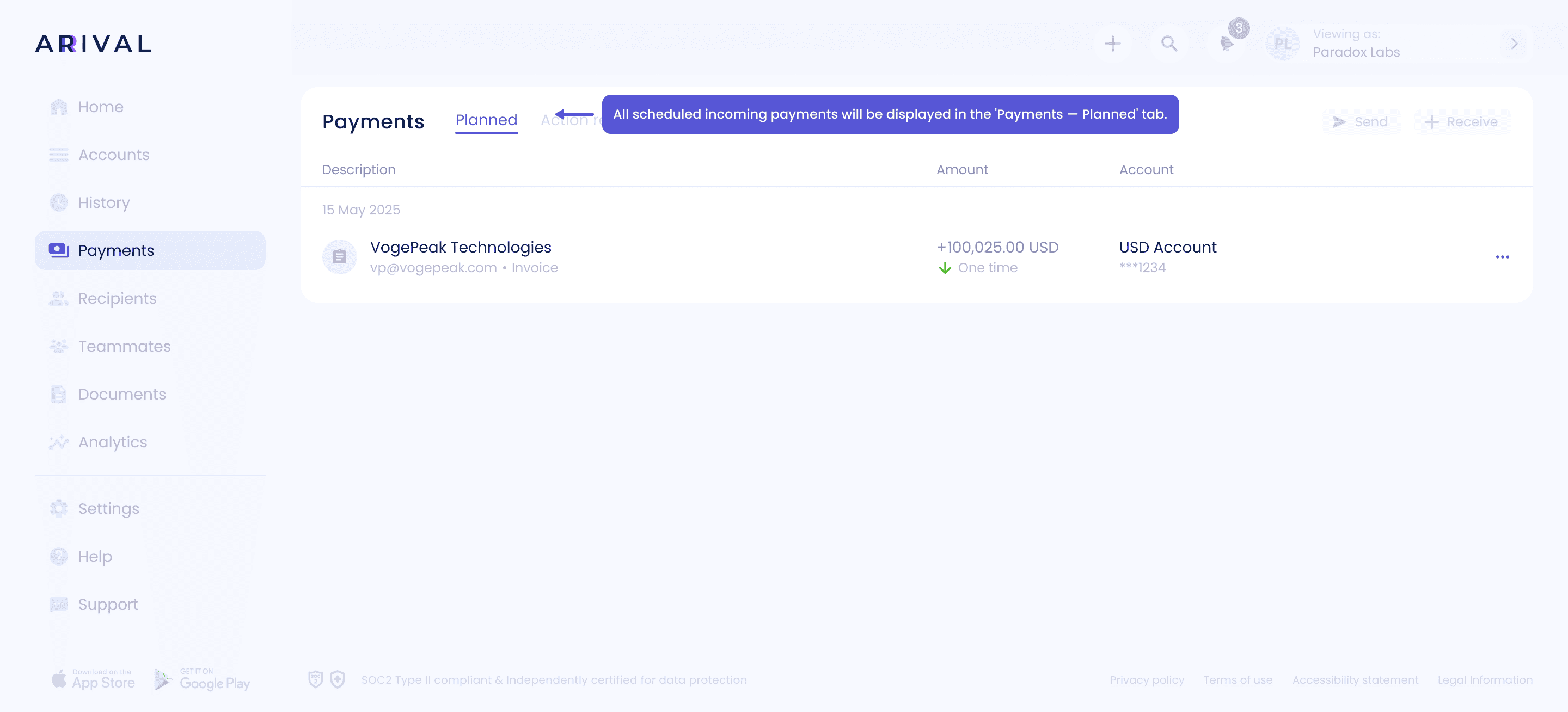
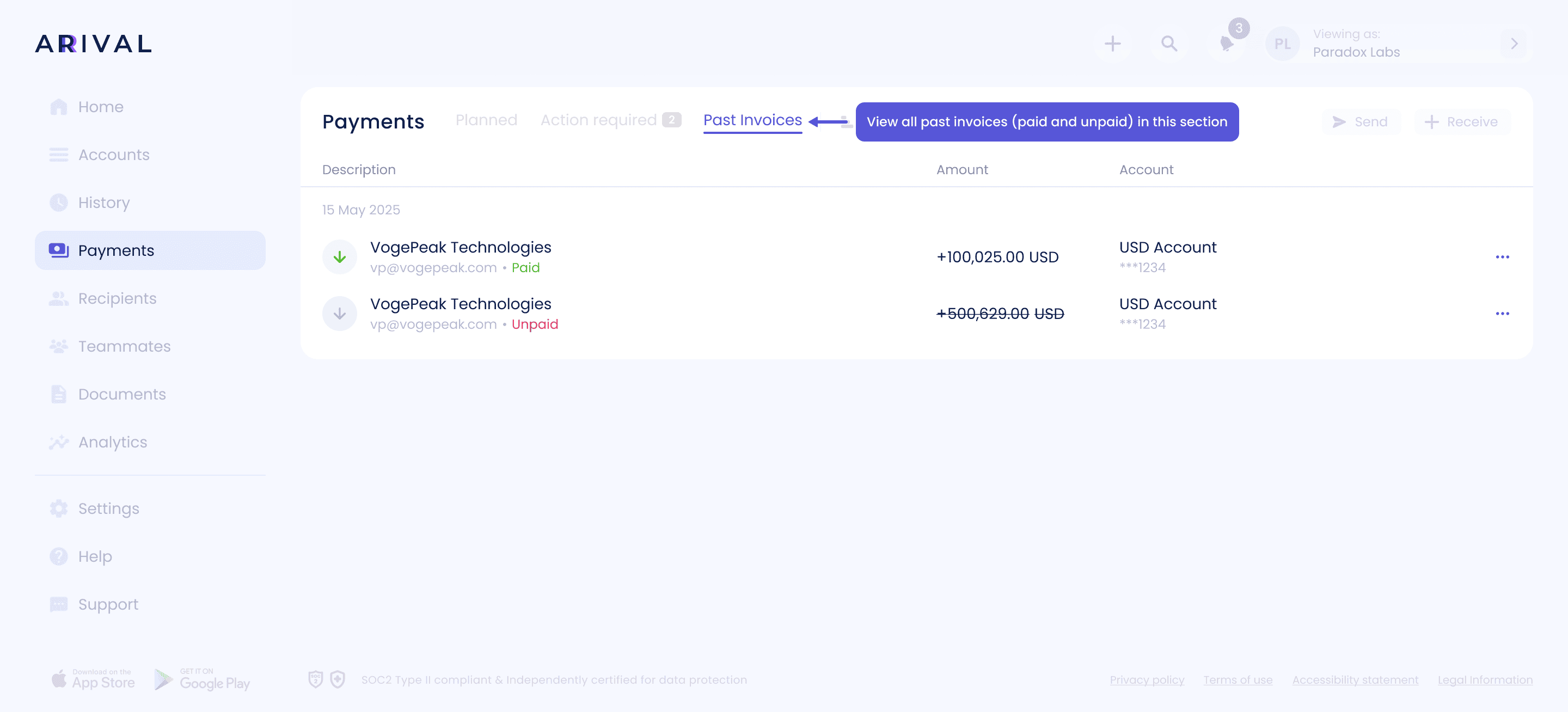
How to easily create, manage, and track invoices
01
How to create invoice
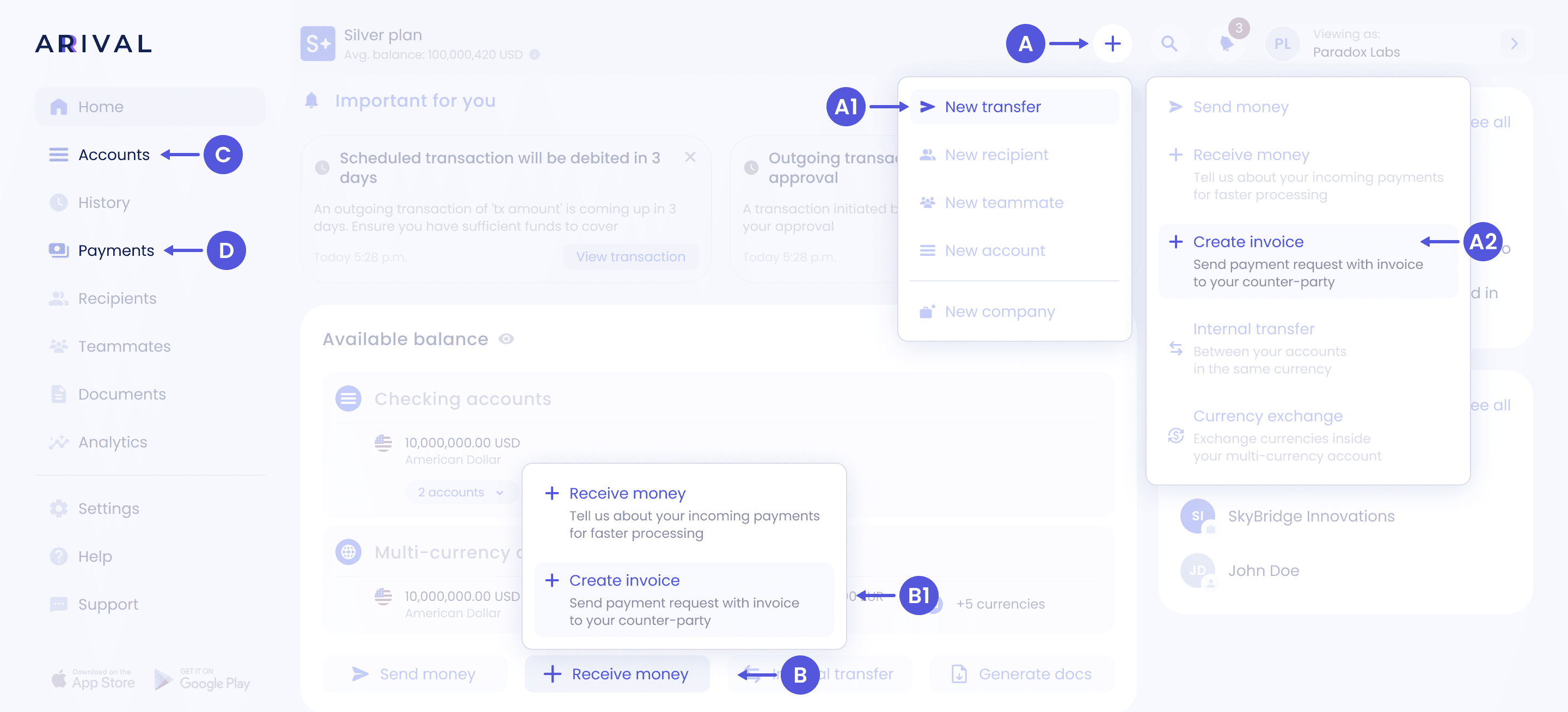
To speed up processing, you can notify us in advance about incoming payments and share your Arival's account payment details with your counter-party by “Create invoice”. You can do this one of several ways:
a. Home page - Click “+” - "New transfer" - “Create invoice”
b. Click "Receive money" - “Create invoice” at the bottom of the Accounts section on the Home page.
c. Click three dots button on the account page or on the account and choose "Receive money" - “Create invoice” to begin with selected account details.
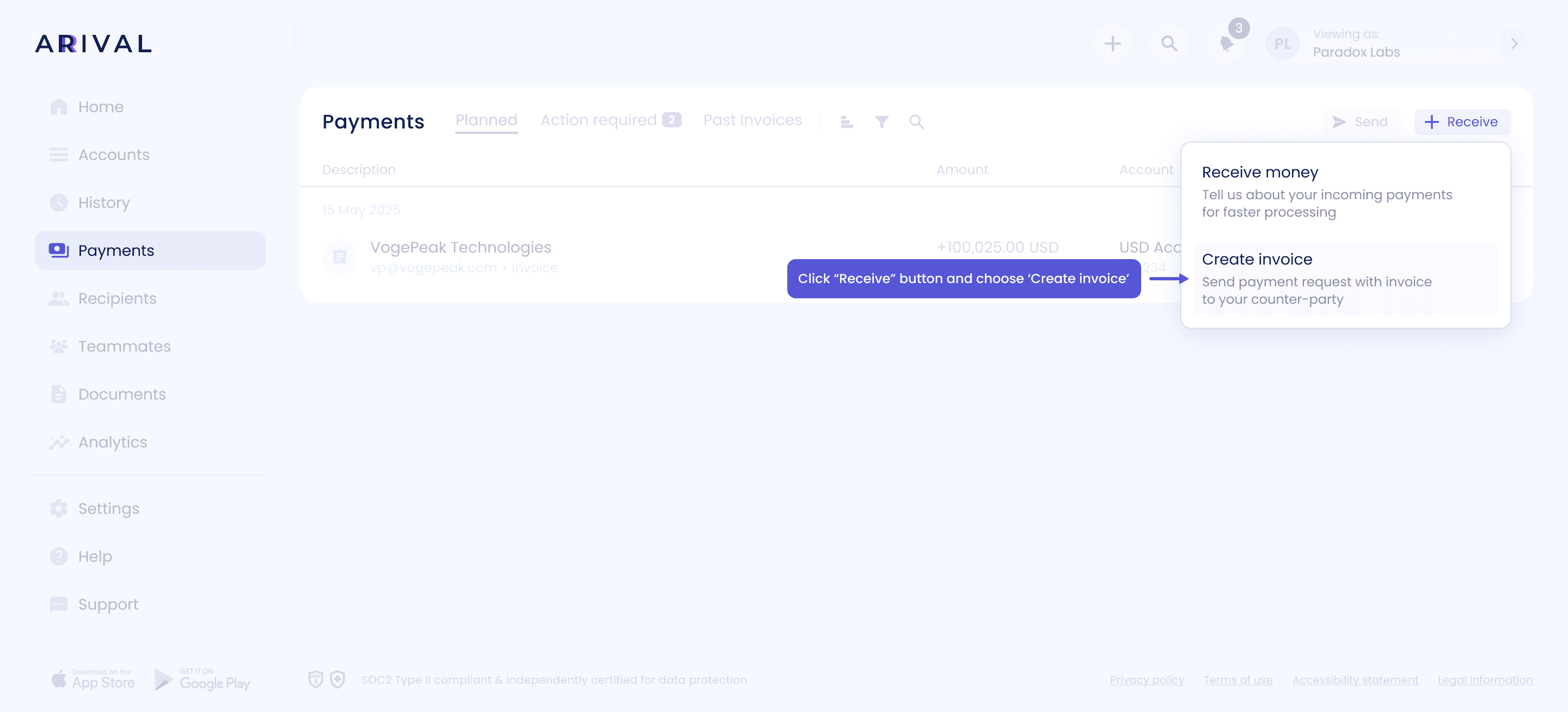
d. From Payments page: “+ Receive” and choose “Create invoice”

02
Select
03
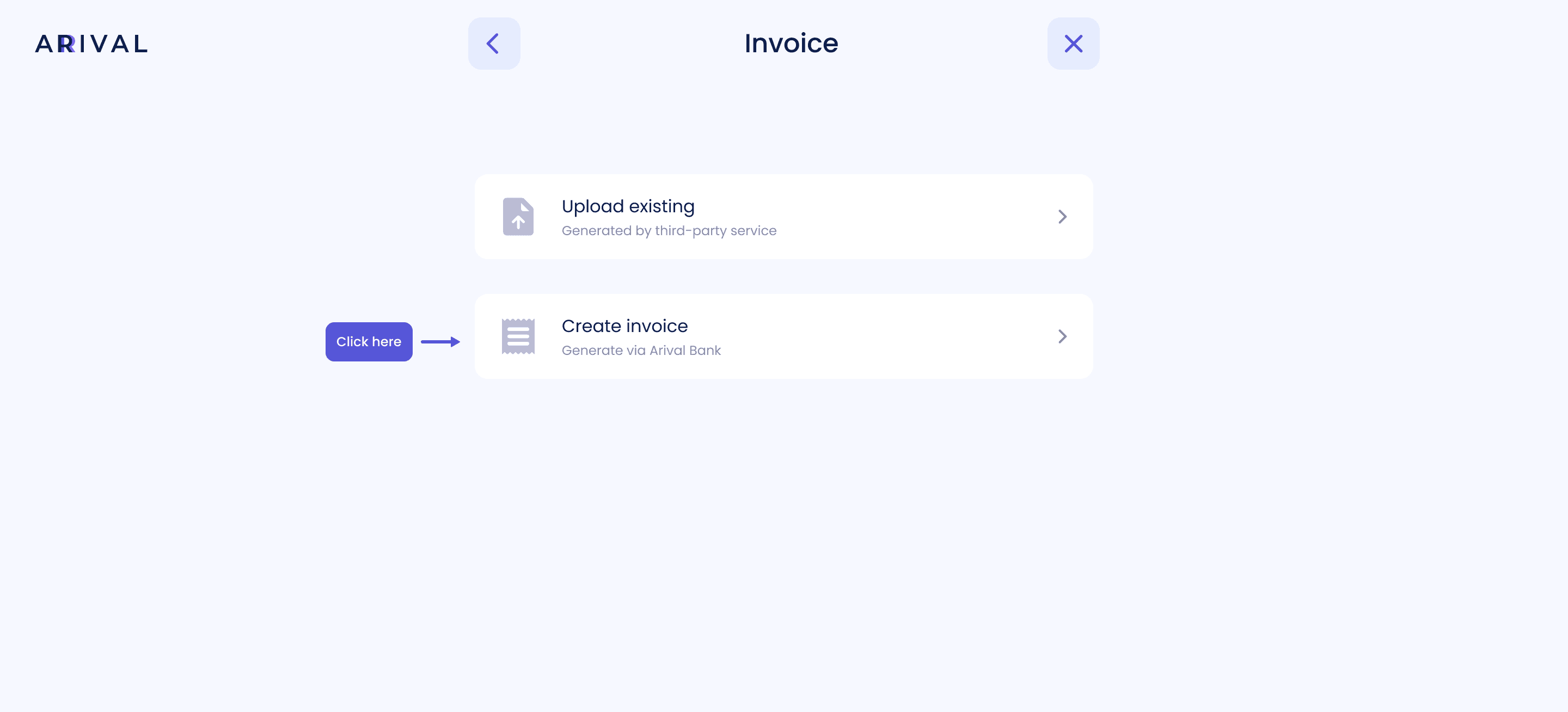
Upload or create new
04
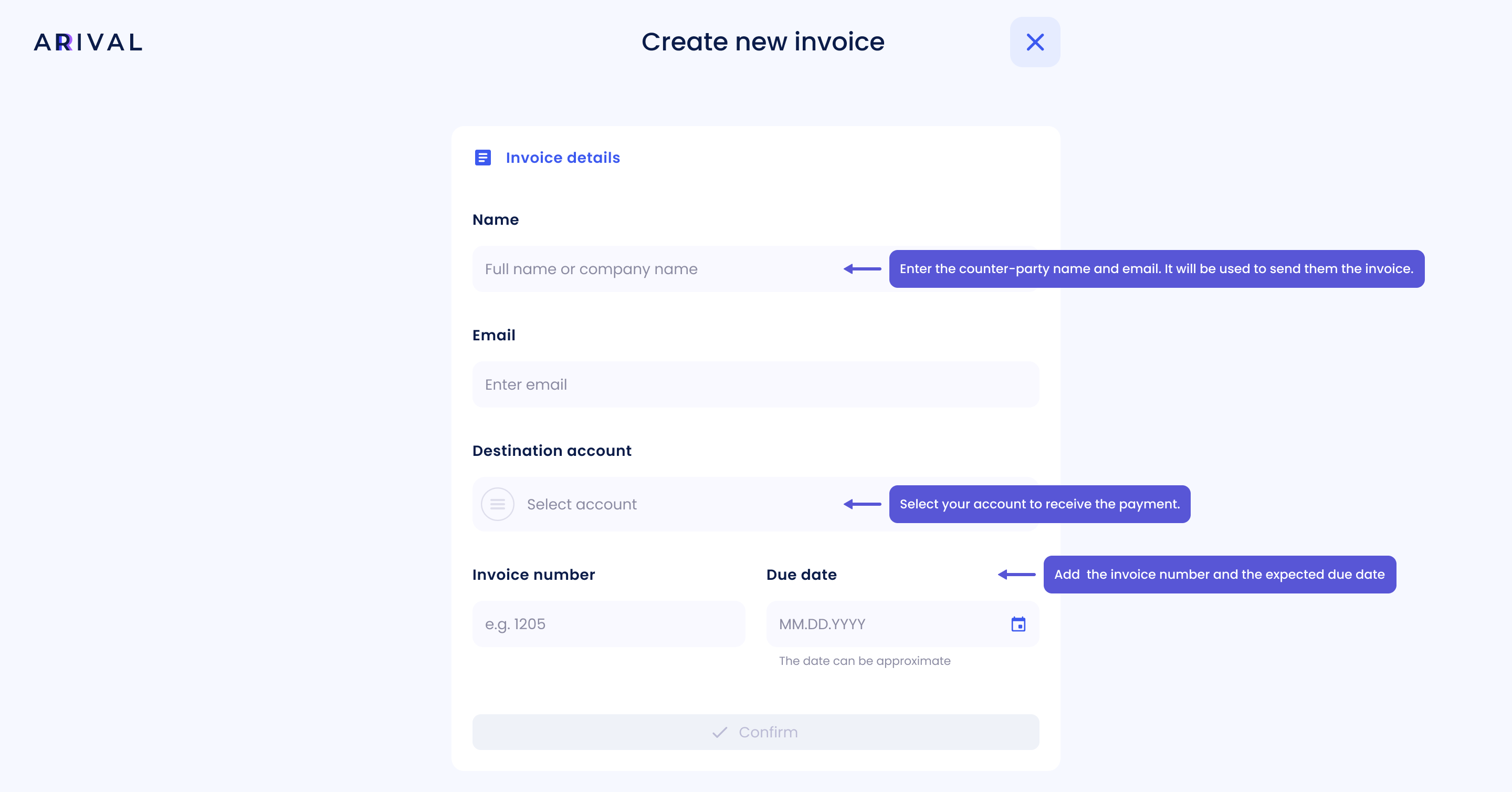
Invoice details

05
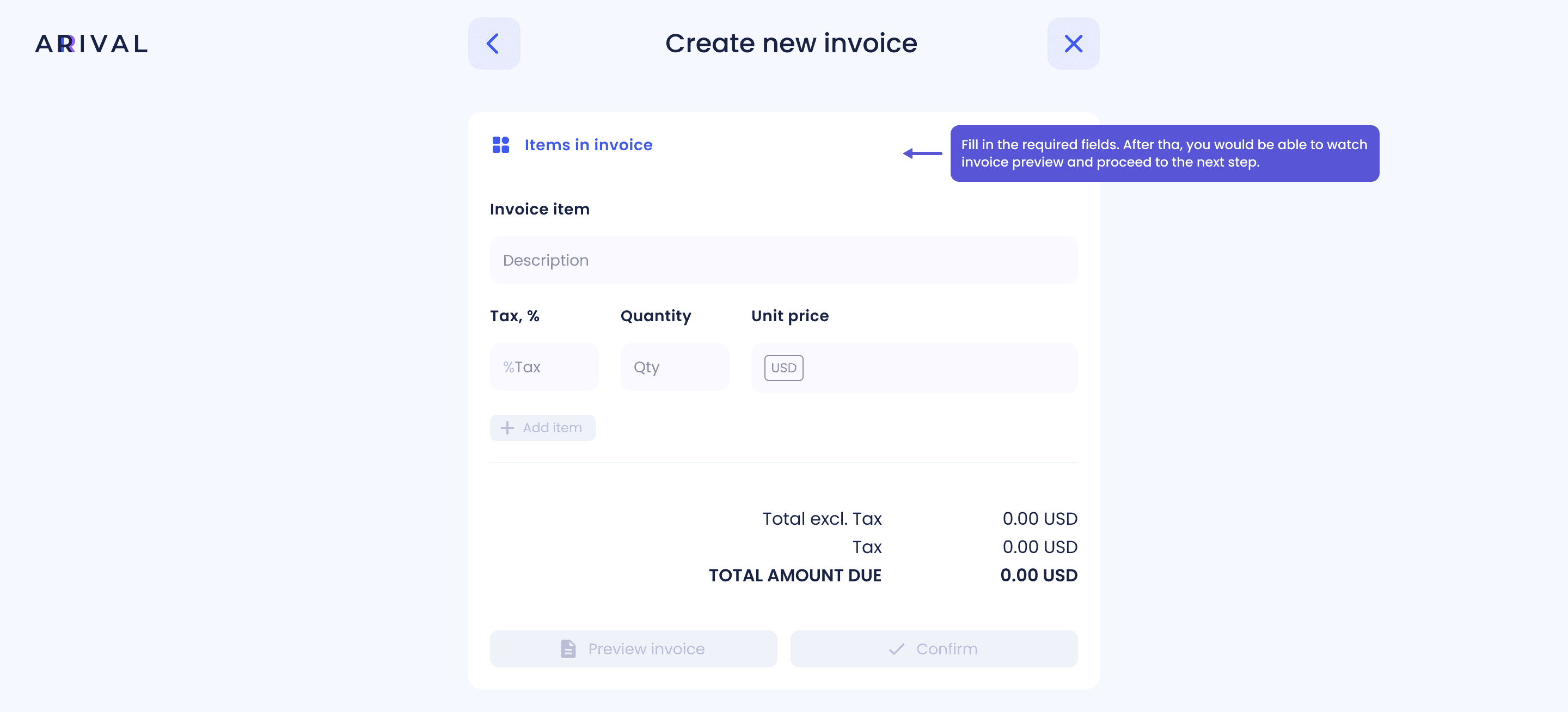
Items in invoice
06
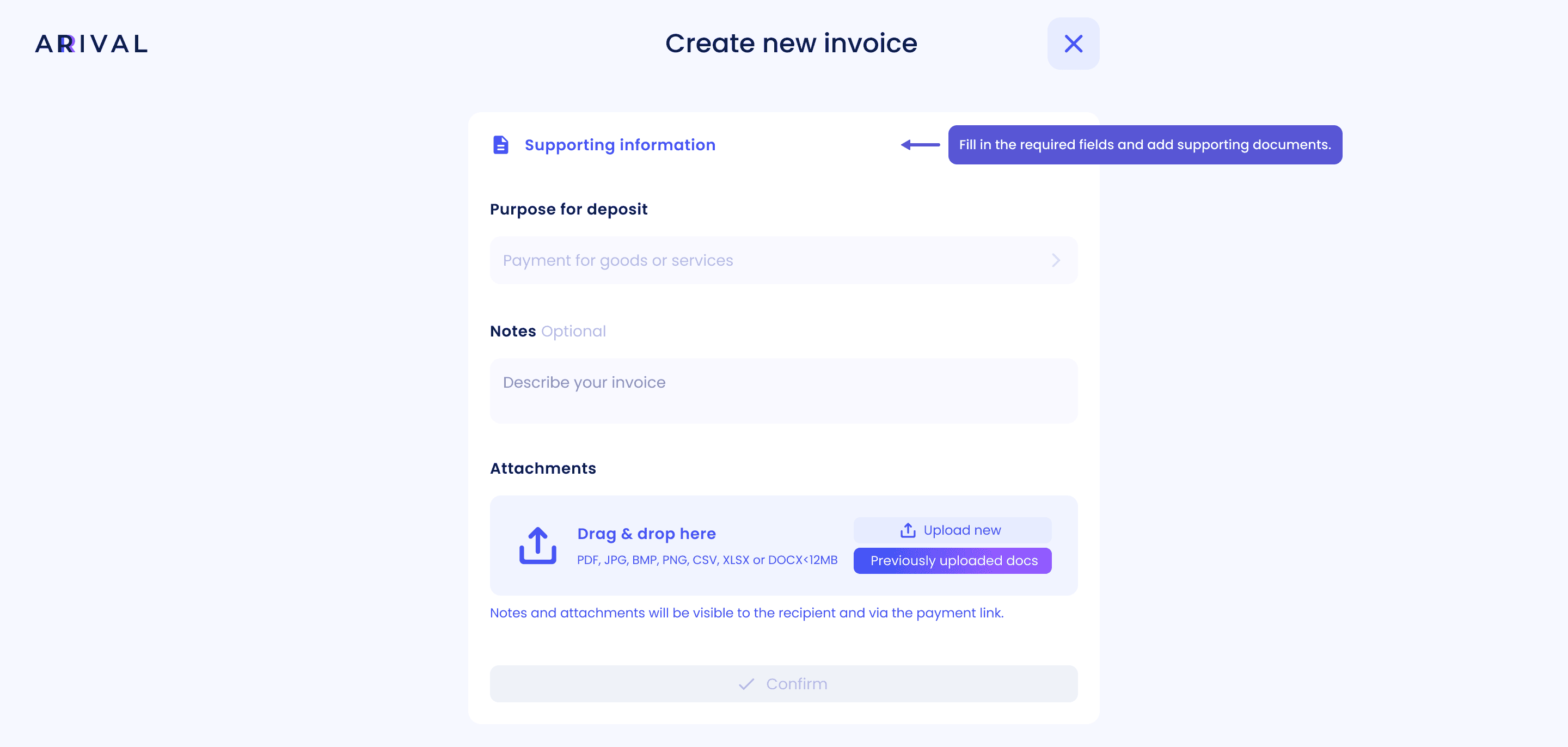
Supporting information

07
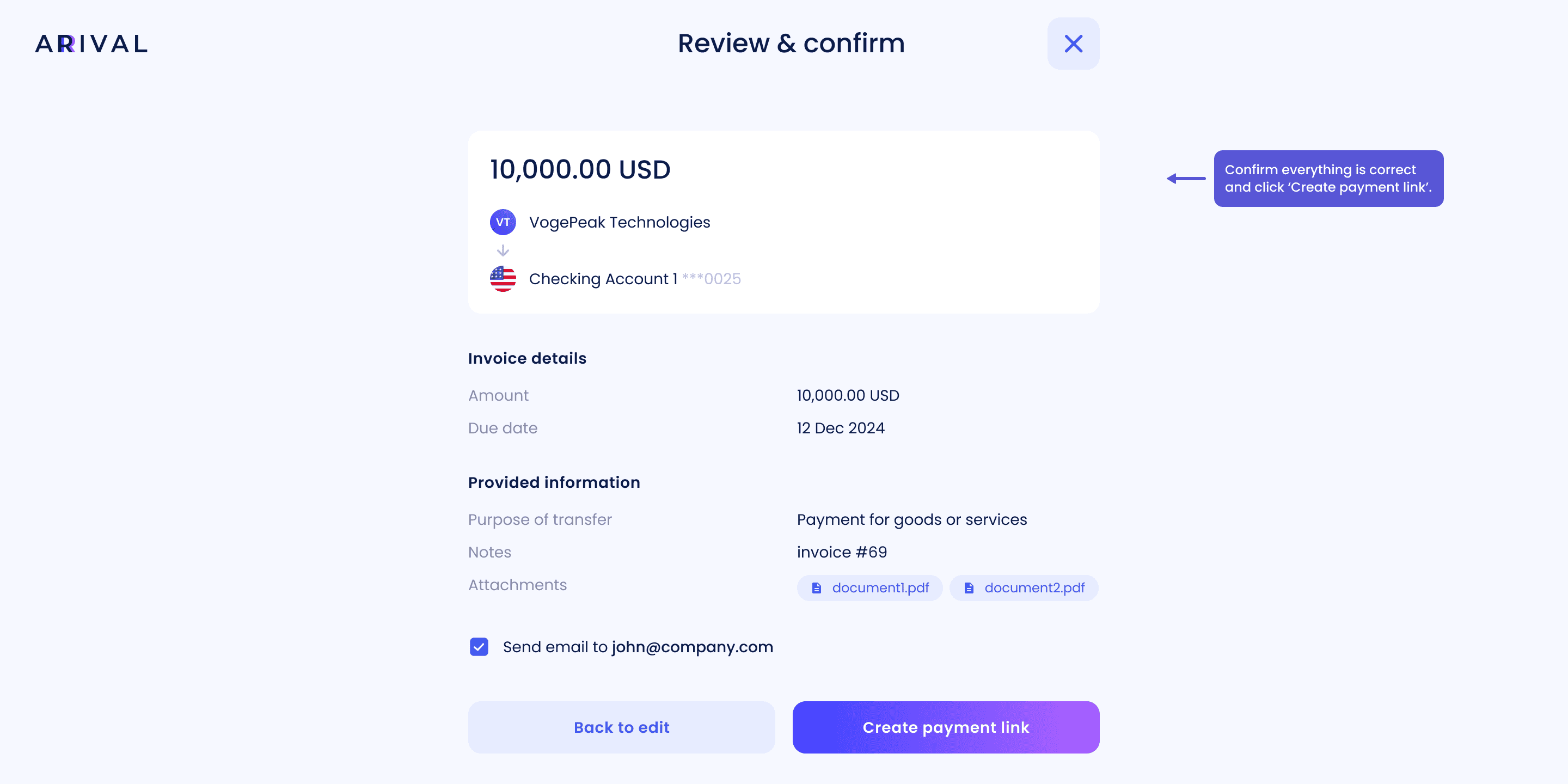
Review and confirm

08
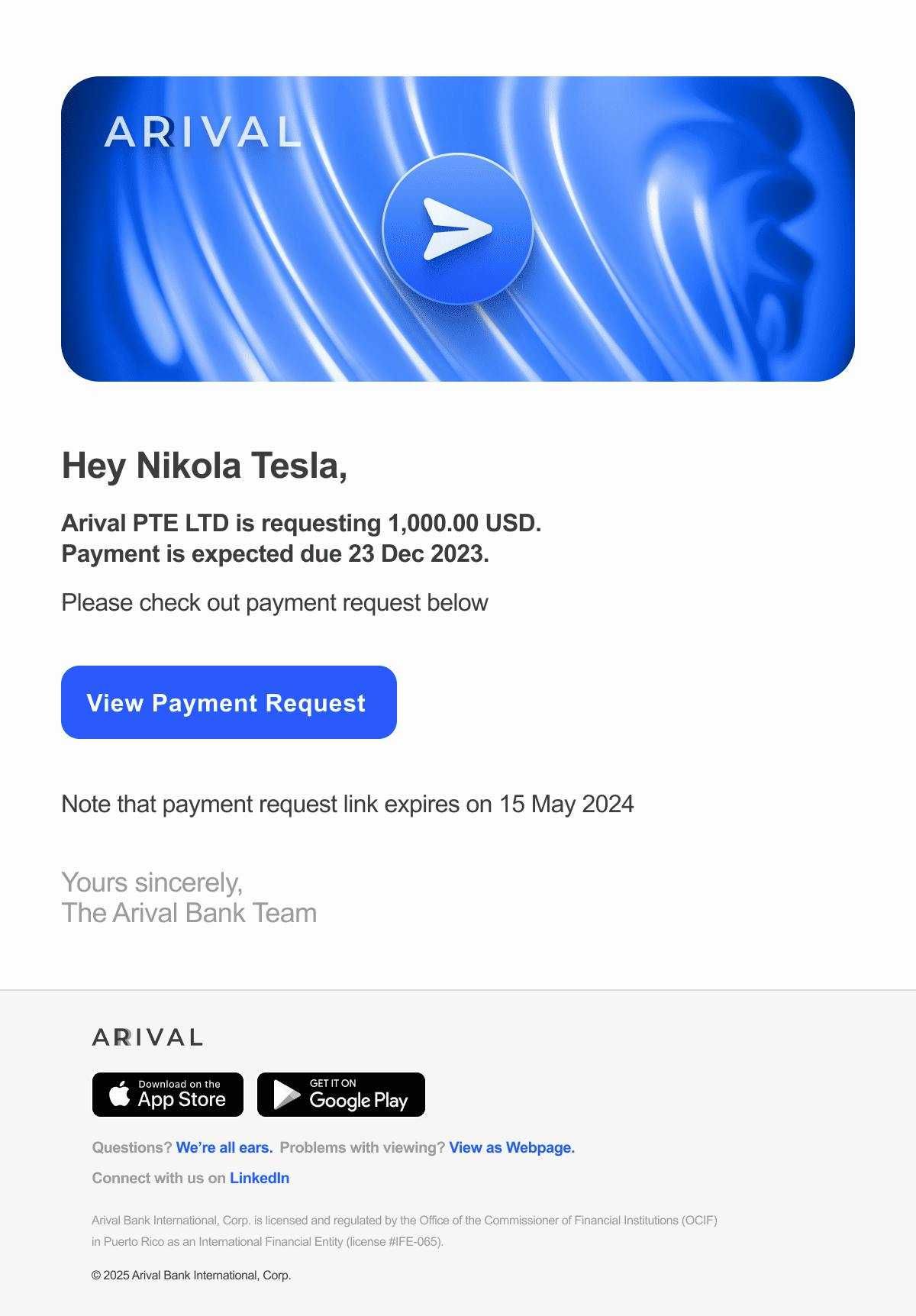
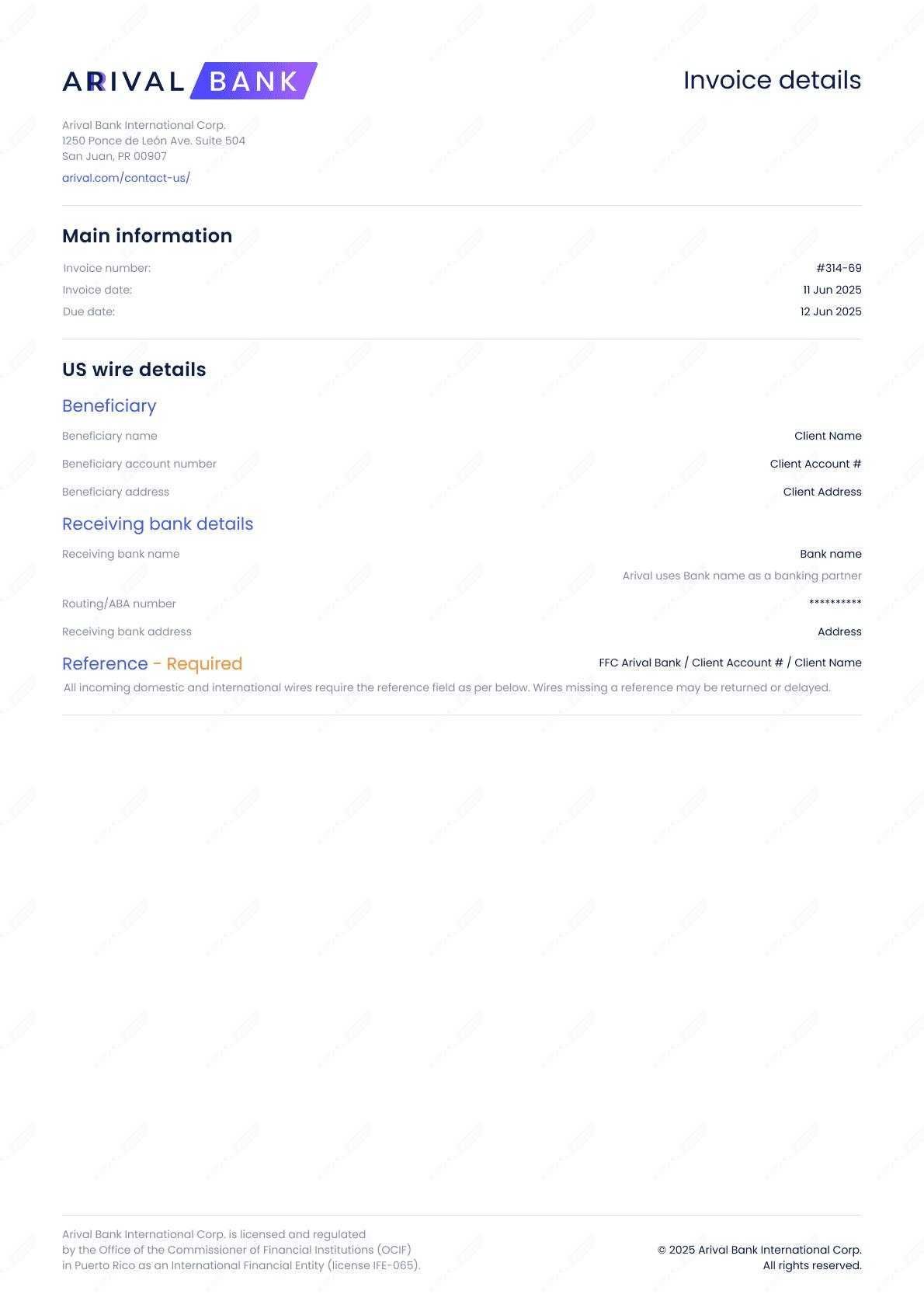
Example of invoice and email
Here’s an example of the invoice email your counterparty will receive.


09
Invoices management